
Your Windows 10 safety net expired last month. Did anyone notice?
Business security updates for Windows 10 are purchased on an annual basis. Year 1 ended on 13 October 2026, and nothing renews automatically.
By Dave Kelsey, Head of Operations, Clearsky IT · Published 11 November 2026
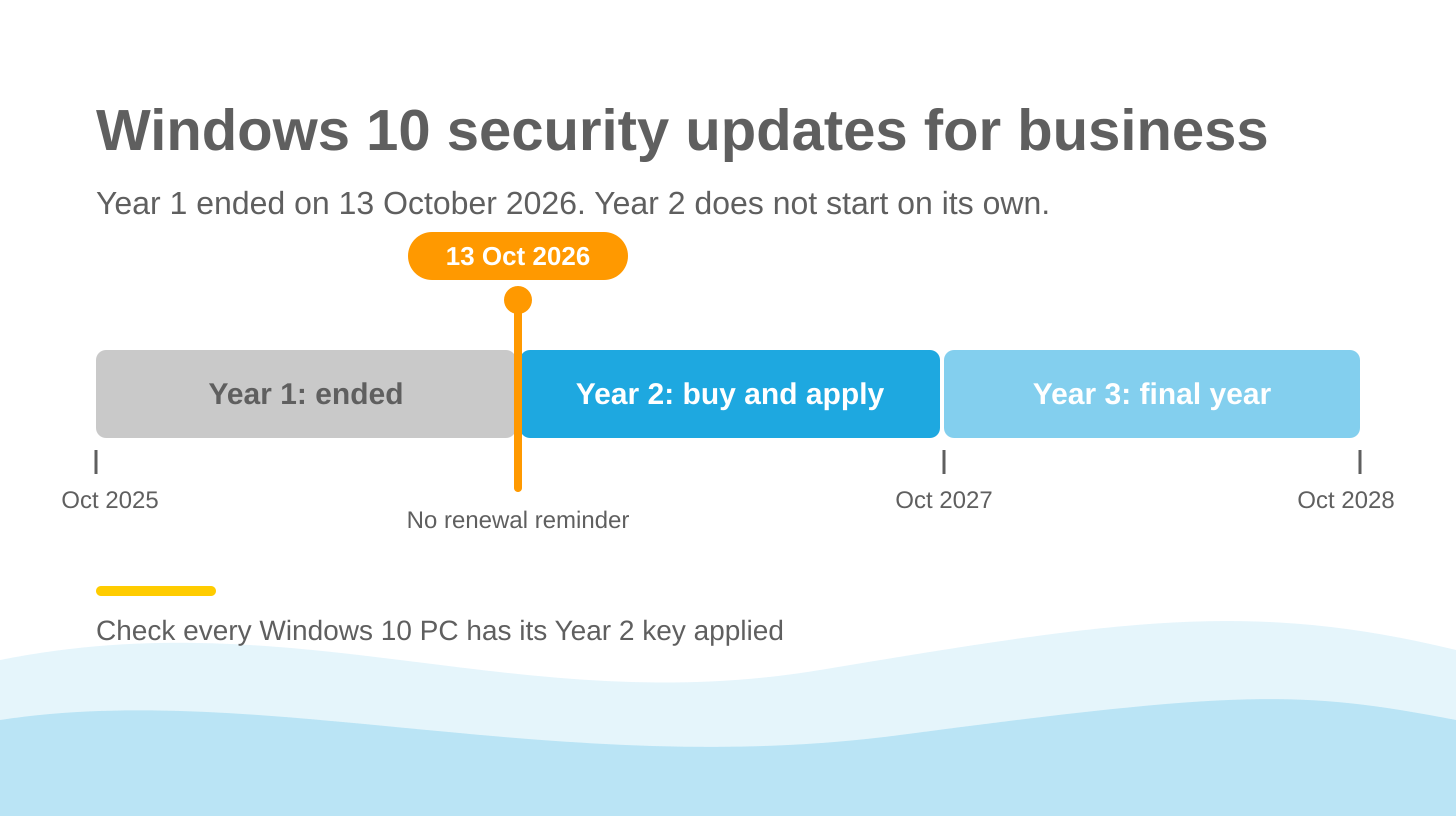
If your business paid for Windows 10 Extended Security Updates (ESU) last year, that coverage ended on 13 October 2026. It does not renew by itself. Unless someone bought Year 2 and applied it to each PC, those machines missed Microsoft’s November security fixes, released on 10 November, and none of them will have told you.
What changed on 13 October?
Windows 10 reached end of support on 14 October 2025. For businesses that weren’t ready to move every PC to Windows 11, Microsoft offered a paid bridge called Extended Security Updates. It continues to receive critical security patches for up to 3 more years and is sold on a 1-year term.
| ESU year | Cover runs | Microsoft list price per device |
|---|---|---|
| Year 1 | 15 Oct 2025 to 13 Oct 2026 | US$61 |
| Year 2 | 14 Oct 2026 to 12 Oct 2027 | US$122 |
| Year 3 | 13 Oct 2027 to 10 Oct 2028 | US$244 |
UK prices are set in sterling by Microsoft partners, so the figure on your quote will differ.
Why did nobody get a reminder?
Most software a business pays for each year is a subscription, and subscriptions chase you for renewal. Windows 10 ESU works differently. Microsoft classifies it as perpetual software, and its own partner documentation states that perpetual purchases have no end date and do not renew.
So no renewal invoice lands in accounts and no portal sends an expiry notice. The PC carries on working as before. It stops receiving fixes, and you would only find out by checking.
Didn’t Microsoft extend Windows 10 to 2027?
It did, but not for businesses. In June 2026, Microsoft extended its free consumer ESU programme by a year, which now runs until 12 October 2027. Many news sites reported this as Windows 10 updates being extended, and the small print was easy to miss.
Microsoft says the consumer programme can’t be used for business purposes. It also excludes devices joined to a company domain or Microsoft Entra ID and devices enrolled in mobile device management, which includes most properly managed business PCs. A director who saw the headline could reasonably think the business was covered when it was not.
What does Year 2 involve?
The price doubles each year. You also can’t join in Year 2 alone, because Microsoft treats ESU as cumulative. A business that skipped Year 1 must pay for both to get current coverage.
Buying the licence is only part of the job. Each device needs the Year 2 activation key installed before it will receive updates. A purchase order with no deployment behind it leaves you where you started.
There is one exception worth knowing about. Windows 10 devices that connect to Windows 365 Cloud PCs are entitled to ESU at no extra cost while the Windows 365 subscription is active.
Microsoft 365 Apps, such as Word and Outlook, will continue to receive security updates on Windows 10 until 10 October 2028. That helps, but it does nothing for the underlying operating system.
Why should a Director care?
When Microsoft publishes a fix for a flaw in supported versions of Windows, it also gives criminals a description of what to look for on machines that didn’t get it. An unpatched PC is an easy way in, and from there, an attacker may reach the rest of your network. We covered the same problem with servers in Your Windows Server 2012 Is a Ticking Time-Bomb.
There is a paperwork side too. Cyber Essentials requires software to be licensed and supported, with high-risk security updates applied within 14 days. A Windows 10 PC without ESU fails that test, which can put your certification, along with any customer contract that depends on it, at risk.
What should we do this week?
- Ask for a list of every Windows 10 device still in use, including spare laptops and PCs that run a single piece of equipment.
- For each one, confirm that a Year 2 key has been applied, not just bought.
- Split the list into machines that can run Windows 11 and machines that cannot. Plan upgrades for the first group, and compare Year 2 and Year 3 costs against replacement for the second.
- Put 12 October 2027 in the diary now, with a named owner, so Year 3 does not lapse the same way.
- If a device cannot be covered or replaced quickly, limit what it can reach on your network until it is.
Speak to us
Clearsky IT is a managed service provider based in Wiltshire, providing IT support and cybersecurity for local businesses. If you’re not sure which of your machines are covered, speak to us. We can check which PCs are covered and help you plan the move to Windows 11 without disrupting the working week.
Sources
- Microsoft Learn: Windows 10 Extended Security Updates
- Microsoft Learn: Purchasing Extended Security Update licences as a Cloud Solution Provider
- Microsoft Learn: Enable Extended Security Updates
- Microsoft: Windows 10 Consumer Extended Security Updates programme
- Help Net Security, 26 June 2026: Microsoft gives Windows 10 users an extra year of free security updates
- The Register, 12 May 2025: M365 apps on Windows 10 to get security fixes into 2028
- NCSC: Cyber Essentials overview
